How to Find Desktop and Laptop Models and Service Tags
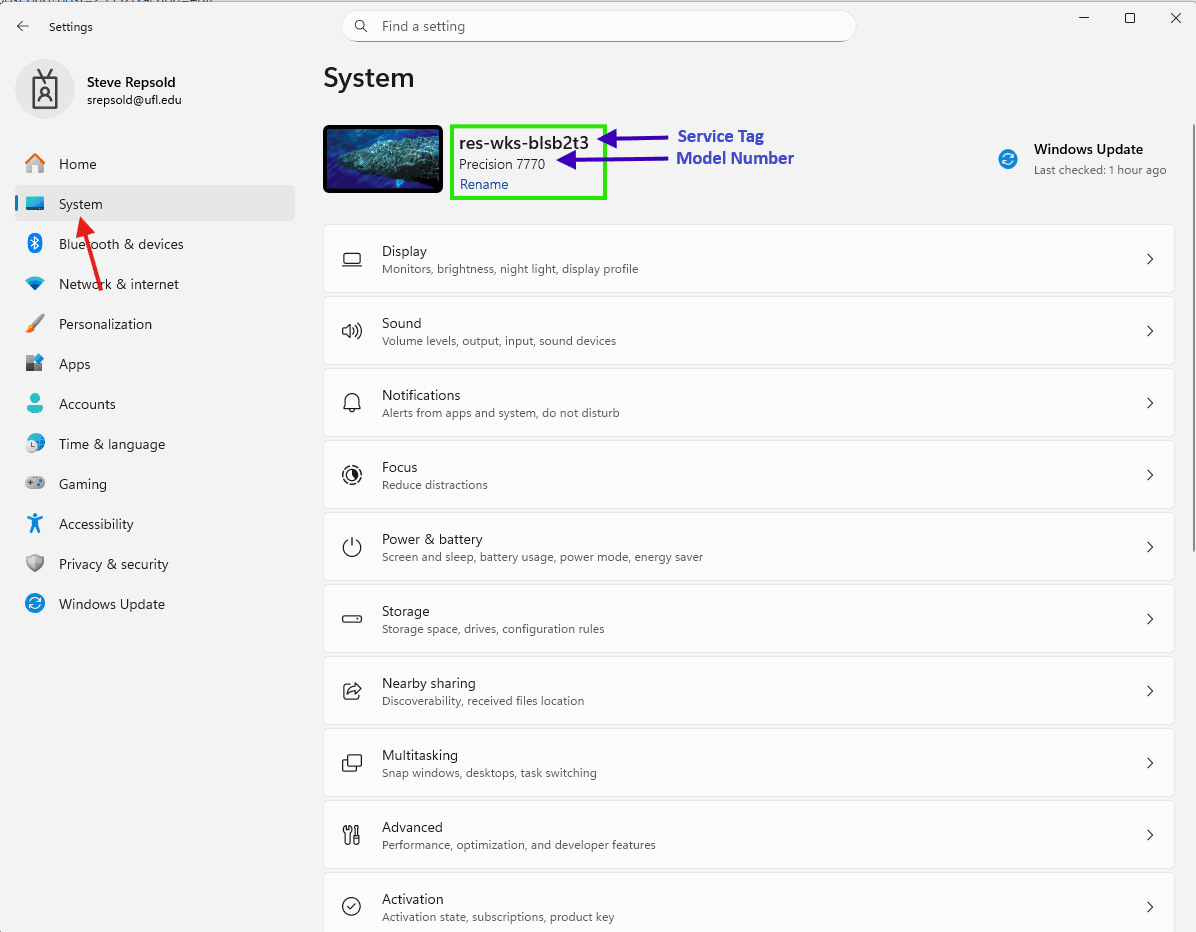
Open Settings (shortcut Windows Key + I)
Click on System in the left side menu
Your computer model and name will be displayed near the top of the window
The name will be shown in bold and starts with res-wks
The service tag is the last seven characters after the dash, a combination of letters and numbers like 4GT2SXR
The model number is below the name and will be something like Latitude 5500
How to Find Monitor Models and Service Tags
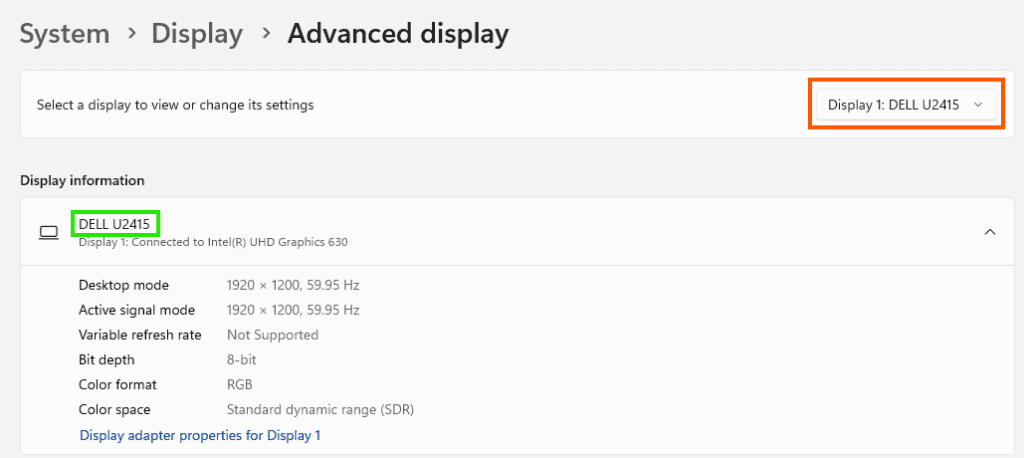
Next, in the same Settings window, click on Display
Scroll down to Advanced display and click on it
The model will be under display information, where I have outlined it in green
If you have multiple displays connected, use the dropdown in the upper right that I have outlined in orange to select your second display and note that model number as well (may be the same)
The Service Tag is found on a sticker on the back of your monitor
You can reference this guide if you need help finding it: